Save your team's Trace games, highlights and stats to your own computer.
A free app for Mac and Windows. Log in with your own Trace account, and your games are yours for good.
Windows 10 or 11 · Mac with Apple Silicon (M1 or newer). Older Intel Mac? Download the Intel version.
TraceDown runs on a Mac or Windows computer. Open this page there to download it.
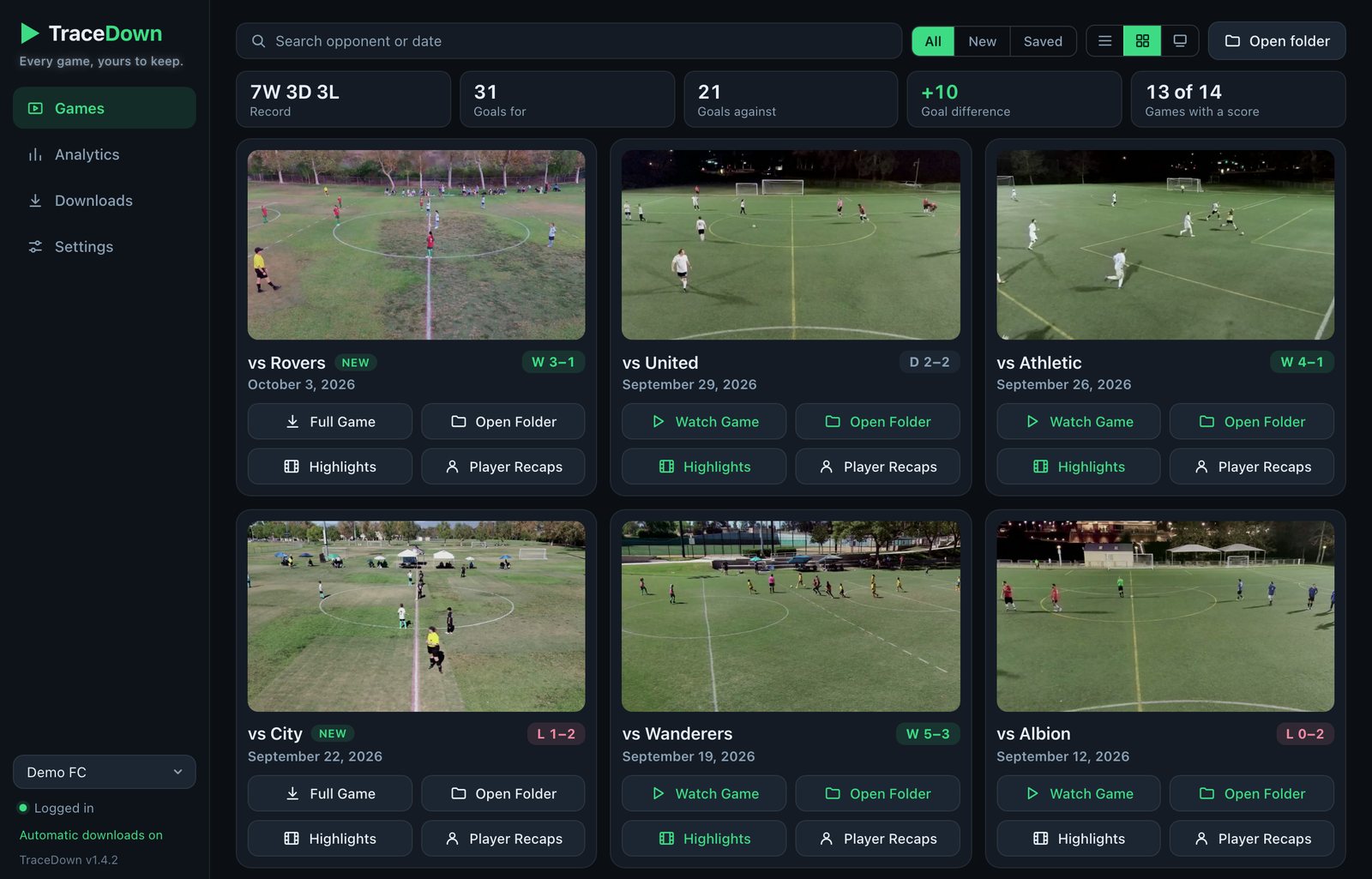
What it does
Full games, one video
Both halves joined into a single 1080p MP4, with no quality loss.
Highlights
Every shot as a clip, plus a team highlight reel.
Player recaps
Each player's follow-camera recap, one or all at once.
A page for every game
Watch at any speed, and jump to any shot on a timeline.
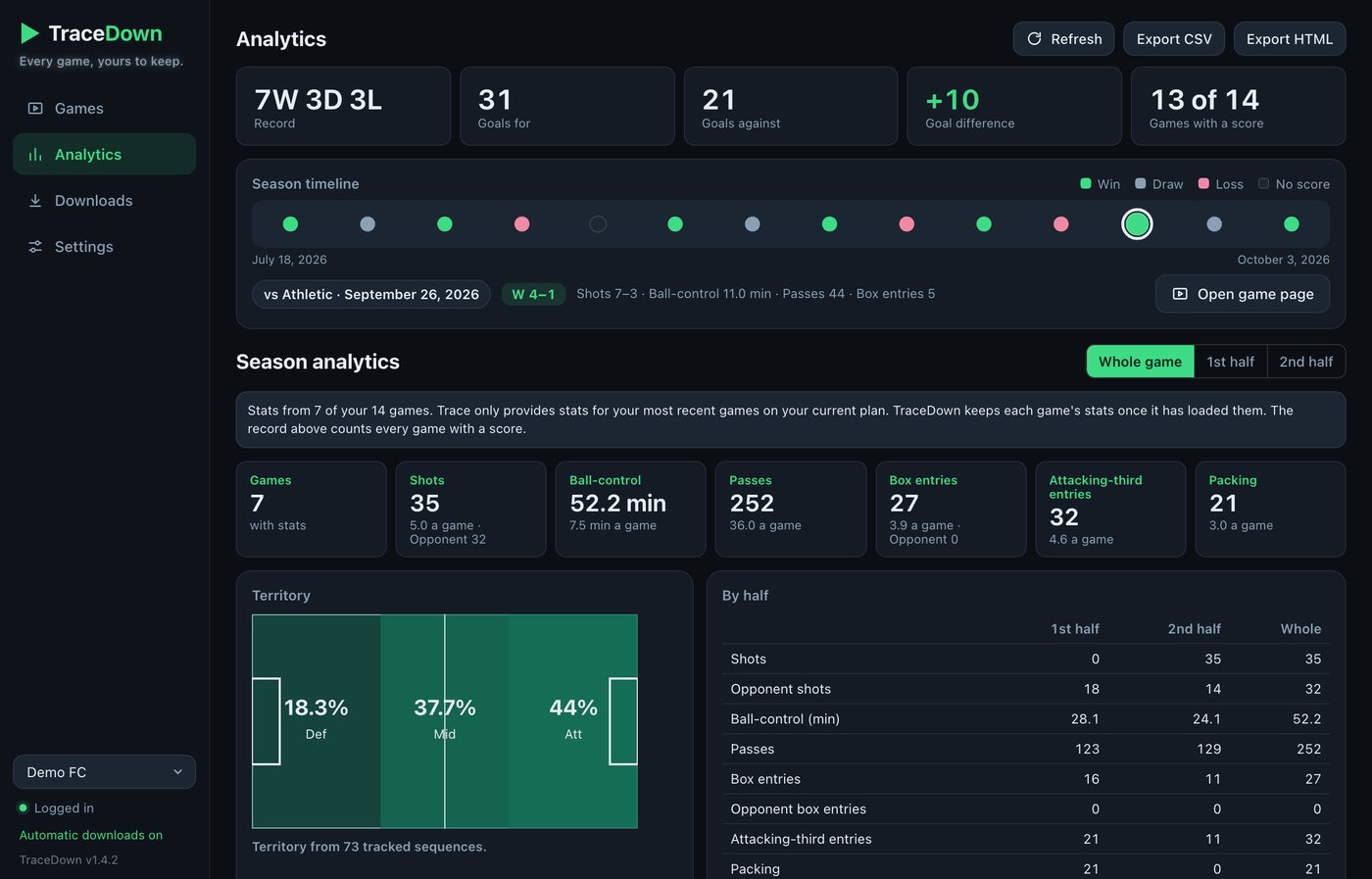
Stats and heat maps
For each game and across the whole season.
Automatic downloads
New games saved for you as they appear.
Game Editor
Cut out the breaks and add a score bug with a running clock.
Downloads that resume
Lose your connection and it carries on where it stopped.
Bookmarks and clips
Note any moment, and cut clips of your own.

How to install
Windows
- Click Download for Windows and open the file.
- If Windows shows a blue warning, click More info, then Run anyway.
- Click Next, Install, Finish, then open TraceDown from your desktop.
Mac
- Click Download for Mac and open the zip file.
- Drag TraceDown into your Applications folder.
- Open it. The first time, it downloads its video engine (about 170 MB).
Then, on either
- Click Add account.
- Log in with your Trace email and the code texted to your phone.
- Your games appear. Click Full Game on any of them.